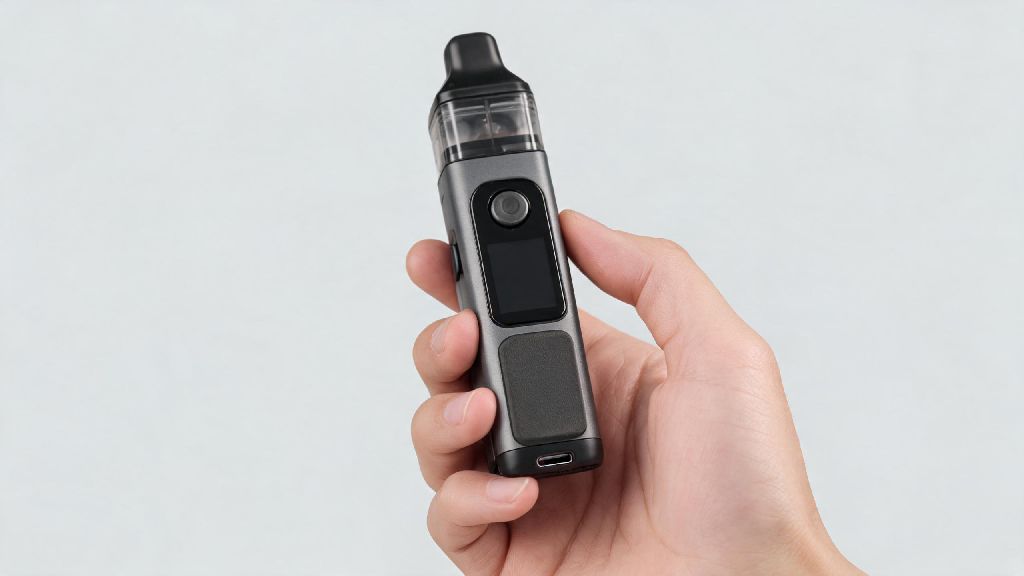
You grab your Smok Nord for a quick puff on your way out the door, press the fire button, and nothing happens. No vapor, no blinking indicator lights, no sign the device even registers you’re pushing the button. If you can’t get Smok Nord to fire and no blinking lights are showing, you’re far from alone — this is one of the most common issues users face with the Nord line, and most of the time it’s fixable in 10 minutes or less with basic household items. I’ve worked in vape repair shops for 6 years, and I’ve walked hundreds of users through this exact problem, so I’ve rounded up all the proven fixes that work 90% of the time, no special tools required.
First Checks to Run When You Can’t Get Smok Nord to Fire and No Blinking Lights Appear
Always start with these quick checks before moving to more complex fixes, as they solve roughly 40% of all reported cases of this issue, no disassembly required. First, test the 5-click unlock feature: press the fire button 5 times in fast, even succession, wait 2 seconds, then try firing again. Last week a customer came in panicking because their brand new Nord wasn’t working, and they’d already thrown away the receipt. It turned out they’d accidentally locked it putting it in their pocket, and the 5-click unlock got it working immediately.
Next, test the device with a reliable wall charger. Skip charging through laptop or power bank ports first, as these often deliver too little power to wake up a fully drained Nord battery. Plug the device into a 1A wall charger for 10 minutes, then try pressing the fire button again. Never use a fast charger above 1A for your Smok Nord, as it can damage the internal battery permanently and cause this exact no-response issue down the line. If it still doesn’t work after this, move on to checking internal connections.
Common Connection Issues That Cause No Fire, No Light Problems
Most unresponsive Nord cases trace back to dirty or loose connections between the pod and the device body. E-liquid leaks slowly into the pod slot over time, even if you never notice visible leaks, and that sticky residue creates an insulating layer that stops the battery from recognizing the pod. When the device doesn’t detect a connected pod, it won’t fire or turn on any indicator lights, so you get no clue what’s wrong.
Follow these steps to clean your device connections safely:
If you see brown, sticky residue around the connection pins, that’s almost always the root of your problem. I’ve fixed dozens of Nord devices that users thought were completely dead just by cleaning out 2 months of leaked e-liquid from the connection slot. If cleaning the connections doesn’t work, try swapping in a new pod, as a cracked or damaged pod can also prevent the device from registering a connection.
Battery and Charging Port Fixes for Unresponsive Nord Devices
If you still can’t get Smok Nord to fire and no blinking lights are showing after cleaning the connections, the next most common culprit is a clogged charging port. Most people carry their Nord in their pocket or purse, where lint, dust, and small debris get packed into the charging port over time. That debris stops the charger from making full contact with the port pins, so the battery never charges, and eventually dies completely, leaving you with a totally unresponsive device.
To clean the charging port, take a wooden toothpick (don’t use metal, as it can short the port or bend the internal pins) and gently pick out any visible lint or debris from the port. Be very careful not to apply too much pressure, as the small metal pins inside the port bend easily. Once you’ve cleared out all debris, plug the device into a 1A wall charger for 30 minutes, and don’t try to turn it on before that time is up. If the battery was completely drained, it can take 10 to 15 minutes of charging before the indicator light even turns on. If you use your Nord daily, clean out the charging port once a month to prevent this issue entirely.
If the device still doesn’t respond after charging for 30 minutes, you may have a damaged battery. Dropping the device, leaving it in a hot car for several hours, or using an incompatible fast charger can all damage the internal battery beyond repair. Smok Nord batteries are not user-replaceable, so if the battery is damaged, you will need to replace the entire device.
When to Skip DIY Fixes and Replace Your Smok Nord
While most no-fire, no-light issues are easy to fix at home, there are some cases where repairing the device is not safe or cost-effective. First, if your Nord is more than 2 years old, it’s likely at the end of its natural lifespan. The average Smok Nord battery lasts 18 to 24 months with regular use, and once it wears out, it will stop holding a charge and eventually stop responding entirely. Replacing the device is far cheaper than trying to repair an old, worn-out battery.
Second, if you’ve tried every fix in this guide and the device still won’t respond, you are likely dealing with a damaged internal circuit board. Circuit board damage is usually caused by water exposure or a power surge from an incompatible charger, and it’s not cost-effective to repair, even if you can find a shop that offers the service. Most new Smok Nord devices cost under $30, so replacing it is cheaper than paying for labor and parts for a repair.
Third, if you notice any physical signs of damage, stop using the device immediately. Cracks in the device body, a bulging back panel, or a burnt smell when you plug it in to charge are all signs of serious internal damage. If you notice a bulging battery, stop using the device immediately and dispose of it properly at a battery recycling center, as damaged lithium-ion batteries are a serious fire hazard.
At the end of the day, most cases where you can’t get Smok Nord to fire and no blinking lights show up are caused by simple, easy-to-fix issues like locked devices, dirty connections, or a clogged charging port. You don’t need to be a tech expert to run through these fixes, and most of the time you’ll have your device working again in less time than it takes to run to the vape shop for a replacement. If you do end up needing a new Nord, make sure to clean the connections and charging port regularly to avoid running into the same issue down the line.