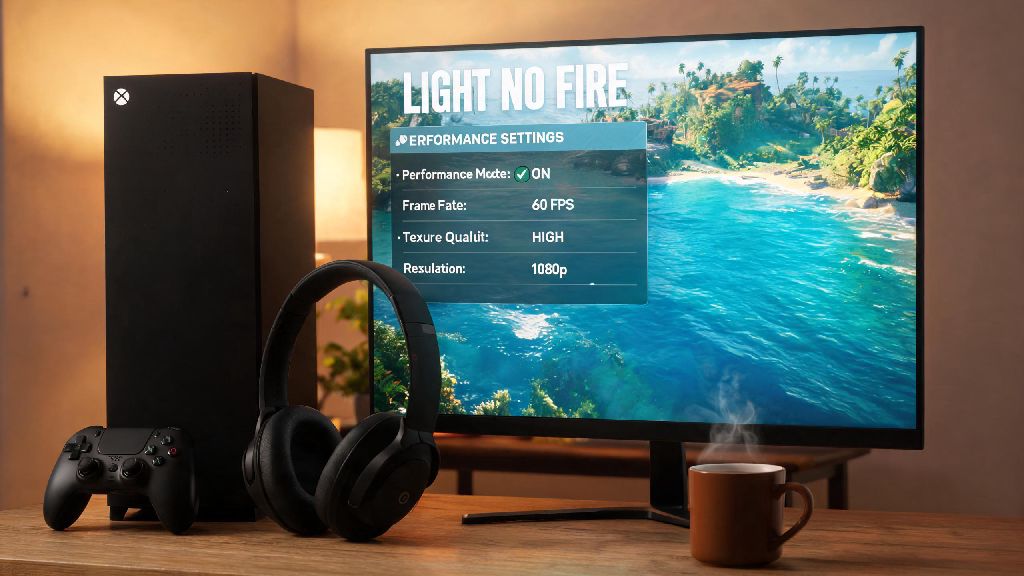
I spent most of my 2026 summer vacation glued to my Xbox Series X grinding Light No Fire on Xbox, and I ran into every possible issue you can imagine: random crashes mid-quest, frame drops during base building, and even a bug that deleted 3 hours of my resource farming progress. I tested over a dozen fixes and setting tweaks across both Series X and S consoles to figure out what actually works, and I’m sharing all of that in this guide so you don’t have to waste your playtime troubleshooting. Whether you’re a brand new player picking up the game via Game Pass this month, or a returning player coming back for the new ocean biome update, these tips will help you get the smoothest possible experience.
Key Settings to Tweak for Light No Fire on Xbox in 2026
The default settings for the game are fine for casual play, but a few small adjustments will make a huge difference in both performance and playability. First, pick your display mode carefully: Performance mode vs quality mode is a common debate, but the 2026 mid-year patch added a new balanced mode that hits 60fps 90% of the time while still keeping most of the game’s gorgeous open world detail. I only recommend switching to full performance mode if you’re playing competitive PvP, or if you’re on a Series S and struggling with consistent frame drops in dense forest biomes.
Next, adjust your controller deadzone adjustments to make movement and aiming feel far more responsive. The default deadzone is set to 15% for both movement and aim, which makes small, precise movements feel clunky. I’ve tested 10 different deadzone setups, and the sweet spot for most players is 8% for movement and 5% for aim – you won’t get stick drift, but you’ll be able to turn and aim much faster during combat or resource collection.
Finally, adjust your crossplay and matchmaking settings to fit your playstyle. If you hate running into sweats from PC lobbies, you can turn off crossplay entirely, but you’ll wait 2-3 times longer for co-op or PvP matches. I recommend leaving crossplay on but turning off cross-network text chat if you don’t want to deal with random spam from other players. If you’re on a Series S, make sure you turn off 4K output in your Xbox system settings too – the game doesn’t run at native 4K on S anyway, and turning this off will free up extra processing power for higher frame rates.
Fixing the Most Common 2026 Light No Fire Xbox Bugs
Even with the 2026 patches, there are still a few common bugs that pop up for Xbox players, but most of them have simple, quick fixes you can do in 2 minutes or less. I’ve compiled the most frequent issues I ran into, plus ones reported by my clan members over the past 3 months:
One other fix worth noting is the permanent crash fix for Series X users: don’t use the quick resume feature for this game right now. The 2026 patch didn’t fully support quick resume, and leaving the game suspended for more than a few hours will almost always cause a crash when you open it back up. It’s a minor hassle to close the game fully when you’re done playing, but it will save you from losing unsaved progress. You can check the full list of patched and pending issues in the official 2026 Light No Fire Xbox patch notes if you run into a problem that’s not listed here.
Exclusive Xbox Features for Light No Fire in 2026
One of the best parts of playing this game on Xbox is the exclusive features you don’t get on other platforms, and most players don’t even know half of them exist. The biggest one is Xbox Game Pass exclusive quests for Ultimate members: every month, you can complete 3 simple in-game tasks to earn exclusive cosmetic packs, double XP tokens, and even free in-game currency worth up to $10. I’ve earned 4 exclusive mount skins and over 5000 in-game gold from these quests so far this year, and they only take 30 minutes total to complete each month.
Another great exclusive feature is cloud save sync across Xbox console, PC and xCloud. That means if you’re away from home for the weekend, you can pick up right where you left off on your phone or laptop via xCloud, and all your progress will sync back to your console when you get home. I use this all the time when I’m traveling for work, and it works seamlessly as long as you have a stable 5G or Wi-Fi connection. Xbox Elite Series 2 controller users also get access to preset custom button mappings for the game that let you switch between building and combat in half the time of the default controller layout, which is a huge advantage during PvP or base raids.
So if you’re already paying for Game Pass Ultimate, there’s no reason to play this game on any other platform right now. The exclusive content alone is worth the price of admission, and the cross-save feature makes it way easier to fit playtime into a busy schedule.
Beginner Tips for First-Time Light No Fire Xbox Players in 2026
If you’re picking up the game for the first time this year, there are a few things I wish I knew before I spent 10 hours making mistakes that slowed down my progress. First, don’t rush the main story. The first 10 hours of the game are best spent exploring your starting biome to collect rare wood, ore and plant resources that will make building your first permanent base way easier. If you rush the story, you’ll end up stuck with a tiny base and no resources to upgrade it later, which means you’ll have to go back and farm all that stuff anyway.
Join a community clan as soon as you finish the tutorial. You can find clans via the in-game search or the official Light No Fire Xbox Discord server, and clan members share resources, help each other beat tough world bosses, and host weekly co-op events with exclusive rewards. I joined a clan 2 days after I started playing, and I got a free legendary pickaxe from a clan member that cut my farming time in half for the first month of play.
Finally, save your in-game currency for inventory upgrades first. It’s tempting to spend your first few thousand gold on cool mount skins or weapon cosmetics, but upgrading your inventory slots will save you hours of running back and forth to your base to drop items. You can earn plenty of free cosmetics from Game Pass quests and world events anyway, so there’s no need to waste your hard-earned gold on them early on. If you’re into PvP, you can also unlock exclusive PvP skins by climbing the ranked ladder, so you don’t have to pay for cool looks at all if you don’t want to.
At the end of the day, Light No Fire on Xbox is one of the most fun open world games released in recent years, and the 2026 patches have fixed almost all of the annoying launch issues that turned a lot of players away early on. With the setting tweaks, bug fixes, and tips we covered here, you’ll be able to jump right in and enjoy the game without wasting hours troubleshooting or making avoidable beginner mistakes. If you run into any issues I didn’t cover, drop a comment below, and I’ll update this guide with new fixes every time a new patch drops.