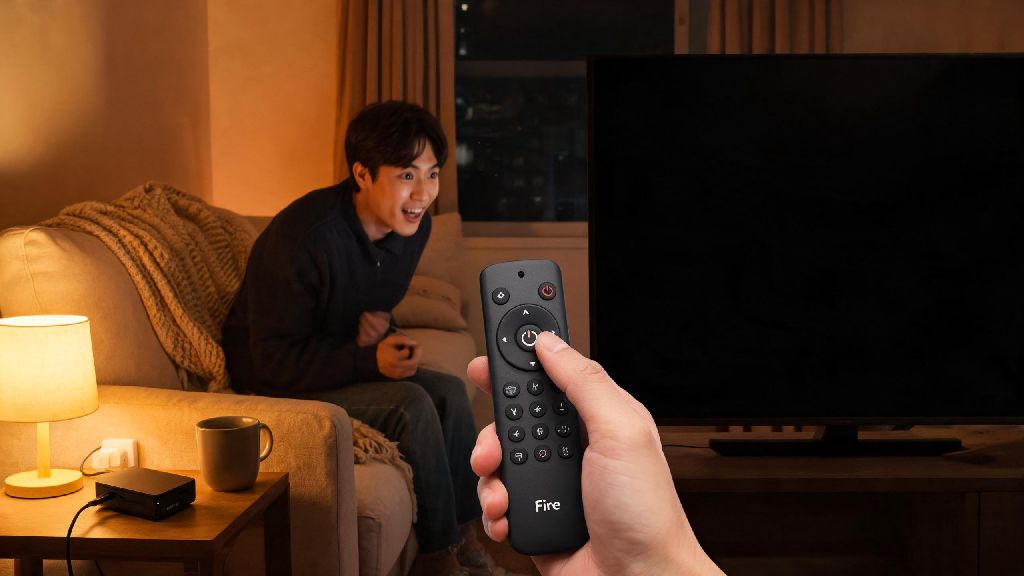
You’re all set to binge your favorite show after a long week, you hit the power button on your Fire TV remote, and nothing happens. No glowing red or blue light on the device, no signal on your screen, just total silence. If you’re dealing with Amazon Fire TV no power light problems, you’re not alone. This is one of the most common issues Fire TV owners face, and in most cases, you don’t need to shell out for a new device or pay for a technician to fix it. I’ve dealt with this exact issue three times across my own Fire TV Stick and Fire TV Cube, plus helped a dozen friends sort out the same problem over the past two years. Last year, my neighbor texted me at 7pm on a Friday panicking because his Fire TV had no power light right before the season finale of his favorite show aired. We fixed it in 10 minutes by swapping out his old power cord, and he didn’t miss a minute of the episode. Let’s walk through the most reliable fixes, ordered from simplest to more involved, so you can get back to streaming as fast as possible.
First Checks to Run When You See Amazon Fire TV No Power Light Symptoms
Before you start messing with settings or taking things apart, start with these super simple checks that fix 60% of power light issues right away. First, make sure your remote actually has working batteries. I can’t tell you how many times I’ve panicked thinking my Fire TV was dead, only to realize I left the remote batteries sitting on the counter after swapping them for my kid’s toy. Test the remote with a second set of fresh alkaline batteries before you do anything else, as rechargeable batteries often don’t deliver enough consistent power for Fire TV remotes.
Next, check that your TV is set to the correct HDMI input. A lot of newer TVs will shut off power to HDMI ports that aren’t actively in use, so switching to the right input can trigger the Fire TV to power on. Also, feel the back of your Fire TV device. If it’s hot to the touch, it might have overheated and shut off as a safety precaution. Move it to a more ventilated spot away from direct sunlight or the top of your gaming console, and let it cool down for 10 minutes before trying to turn it on again.
Power Supply and Connection Fixes That Work for Most Cases
If the basic checks didn’t work, the next place to look is your power supply and physical connections. Most Fire TV power issues come from faulty cords or underpowered ports, not a broken device. First, unplug the Fire TV’s power adapter from the wall outlet, wait 30 full seconds, and plug it back in. This soft reset clears any temporary firmware glitches that might be stopping the device from booting up. Don’t skip the 30 second wait – the device needs that time to fully discharge leftover power from its internal components.
If that doesn’t work, try plugging the power adapter into a different wall outlet. I once spent 45 minutes troubleshooting my Fire TV only to realize the outlet it was plugged into was controlled by a light switch that had been turned off by accident. If you use the USB port on your TV to power your Fire TV Stick, swap to the official wall adapter that came with the device. TV USB ports often only deliver 0.5A of power, while most Fire TV devices need at least 1A to run properly. Underpowering is one of the top hidden causes of no power light issues.
You can also try swapping out the micro USB or USB-C power cord for a different one you have lying around, as frayed or damaged cords often stop delivering power without showing obvious signs of wear. Look for these signs that your power supply is the root of the problem:
Firmware and Hardware Troubleshooting for Persistent Issues
If you’ve gone through all the power and connection checks and still have no power light, there are a few more targeted fixes you can try. First, try a hard factory reset of your Fire TV device. You don’t need the menu to do this – most Fire TV models have a reset button on the back or bottom of the device. Hold the reset button down for 20 seconds while the device is plugged in, then release it. It can take up to 5 minutes for the reset to complete, so don’t unplug it while it’s working. Note that a factory reset will erase all your downloaded apps, login info, and custom settings, so you’ll have to set the device up again from scratch if this works.
If the reset doesn’t trigger any power light, check the HDMI port on your TV for damage. Bent pins inside the HDMI port can short out the Fire TV and stop it from powering on. Shine a flashlight into the port to look for bent or broken pins, and if you see any, use a small plastic tool to gently bend them back into place, being very careful not to break them off entirely. You can also try plugging the Fire TV into a different HDMI port on your TV to rule out a faulty port.
If none of these steps work, the issue might be a blown internal fuse on the Fire TV’s motherboard. This is less common, but it can happen if there’s a power surge from the wall. If you’re comfortable with small electronics repairs, you can open the device and replace the fuse for a few dollars, but if not, it’s usually cheaper to buy a new entry-level Fire TV Stick than to pay for a professional repair.
When to Replace Your Fire TV Instead of Repairing It
It’s easy to get stuck trying every fix under the sun, but sometimes it makes more financial sense to replace your Fire TV instead of wasting more time on repairs. First, consider how old your device is. Most Fire TV devices have a 3 to 5 year lifespan, so if your device is older than 4 years and you’re having power issues, it’s probably nearing the end of its usable life. Even if you fix the power light issue, you’ll likely run into performance glitches or app compatibility issues soon after.
If the cost of repairs is more than half the price of a new equivalent Fire TV, replacing it is the smarter choice. For example, a new Fire TV Stick Lite costs less than $30, so paying $20 for a repair or replacement parts doesn’t make sense. You also get the benefit of newer features, faster processing, and longer software support with a new device. You should also consider replacing your device if you’ve had multiple power or performance issues over the past 6 months. Frequent glitches are usually a sign that internal components are wearing out, and you’ll likely end up dealing with more issues down the line even if you fix the power light problem now.
If you do decide to replace your device, make sure to recycle your old Fire TV properly instead of throwing it in the trash, as it contains small amounts of heavy metals that are harmful to the environment. Many electronics stores will accept old streaming devices for free recycling, no purchase required.
Dealing with a Amazon Fire TV no power light issue can be frustrating, especially when you’re looking forward to a night of streaming. But as we’ve covered, most cases are caused by simple, easy-to-fix issues like dead remote batteries, underpowered ports, or temporary firmware glitches. Start with the simplest fixes first, and work your way through the steps we outlined, and you’ll probably have your device working again in less than 15 minutes. If none of the fixes work, don’t stress – entry-level Fire TV devices are affordable, and upgrading to a newer model will often give you faster performance and better features than your old one anyway.